

Jobs dashboard
To view the jobs dashboard, on the sidebar, click Jobs. The jobs dashboard provides a centralized view for managing and monitoring the execution of data processing tasks within your workflows. The jobs dashboard lists each job and its associated Status, Job ID, Created date and time, Workflow name, and Runtime duration. Each job’s status, shown in the Status column, can be:Run a job
To run a job, on the sidebar, click Workflows, and then click Run in the row for the workflow that you want to run.Monitor a job
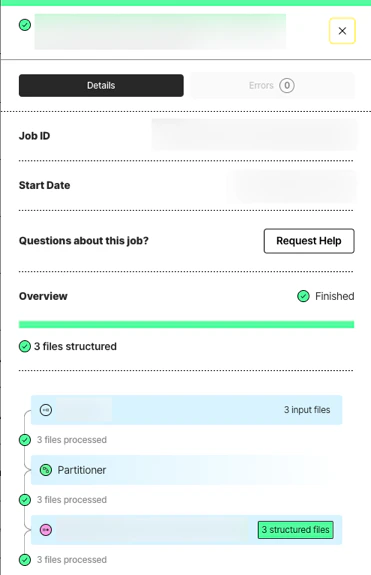
The job details pane is a comprehensive section for monitoring the specific details of jobs executed within a particular workflow. To access this pane, click the specific job on the jobs dashboard. Clicking the Details button shows:- The job’s ID.
- The job’s start date.
- Information about what happened in each of the job’s stages.

