

structured_data_extractor
Subtype: regex
Settings
A list of objects, each defining one extraction field. Each object must contain:
name: The field name for the extracted value.pattern: A JSON-escaped regex pattern. Pattern syntax follows Pythonre.
The mode in which to output the extracted data. Allowed values:
elements_with_extracted_data: Output the extracted data as JSON into anextracted_datafield inside ofmetadatawithin a parentDocumentDataelement, followed by other built-in Unstructured document elements.extracted_data_only: Output only the extracted data as JSON, without any parentDocumentDataelement or any other built-in Unstructured document elements.
elements_with_extracted_data.Regex output
Each of thename / pattern pairs in regex_patterns is extracted as an array of the matched values. The name field value is the name of the array in the extracted output.
See Example settings and Example extracted output below.
Example settings:
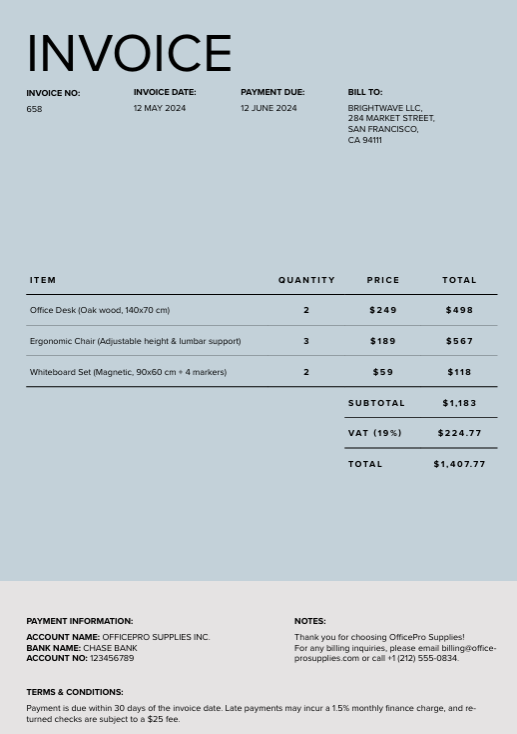
output_mode field appears in the example settings above so the settings object is shown in full. It does not affect the extracted values illustrated in this example of the Price in dollars matches.
The extracted output includes the array Price in dollars.
The resulting array contains the values in the input document that match the regex pattern.
Example extracted output (partial):
| Context | Pattern |
|---|---|
| Raw regex | \$\d{1,3}(?:,\d{3})*(?:\.\d{1,2})? |
| JSON string | \\$\\d{1,3}(?:,\\d{3})*(?:\\.\\d{1,2})? |
Regex pattern examples
The following are raw regex examples, shown without JSON escaping (as you would type them in a regex tester, not inside a JSON string value).- Dollar amounts:
\$\d{1,3}(?:,\d{3})*(?:\.\d{1,2})?- This pattern matches dollar amounts with a dollar sign immediately followed by digits (no space after
$), comma-separated thousands, and an optional decimal part. - Examples that match:
$2,345.99,$1,000,000 - Examples that don’t match:
$ 2,345.99(space follows the$),1,000,000(no$)
- This pattern matches dollar amounts with a dollar sign immediately followed by digits (no space after
- Another string format:
^[A-Z]{2}-\d{2}-\d{4}$- This pattern matches a string with two capital letters followed by two digits and a four-digit number, separated by dashes (example:XY-12-1234).- The
^and$characters in this pattern are anchors. Use them to require that the entire string matches the pattern. - Do not use anchors if you need to extract values inline in text (like
Invoice id XY-12-1234,Patient record AB-34-5678,ID: AA-00-0000) - Use anchors when the whole string must match the pattern exactly, with no extra text before or after (for example,
XY-12-1234alone). - Examples that match:
XY-12-1234,AA-00-0000 - Examples that don’t match:
Invoice XY-12-1234,XY-12-1234(trailing space),xy-12-1234
- The
Regex escaping and JSON escaping
When using regex patterns in API requests, you may need two types of escaping:- Regex escaping – required by the regex engine
- JSON escaping – required by the JSON string format
| Context | Pattern |
|---|---|
| Raw regex | \$\d{1,3}(?:,\d{3})*(?:\.\d{1,2})? |
| JSON string | \\$\\d{1,3}(?:,\\d{3})*(?:\\.\\d{1,2})? |
| Raw regex | ^[A-Z]{2}-\d{2}-\d{4}$ |
| JSON string | ^[A-Z]{2}-\\d{2}-\\d{4}$ |
-
Use regex escaping when writing the pattern. This is considered raw regex.
\$→ literal dollar sign\.→ literal decimal point
-
Use JSON escaping when sending the pattern in an API request. You would add the JSON escapes to the raw regex, which may contain escaped literals like the examples above.
- Each
\becomes\\
- Each