

For specific file types, such as image files and PDF files, Unstructured offers special strategies to partition them. Each of these strategies has trade-offs for output speed, cost to output, and quality of output.
PDF files, for example, vary in quality and complexity. In simple cases, traditional natural language processing (NLP) extraction techniques might be enough to extract all the text out of a document. Other cases require advanced image-to-text models to process a PDF file.
Some strategies use rule-based workflows. These run faster and cost less because they always extract the same way, but resolution quality can suffer. Other strategies implement model-based workflows, which can be slower and costlier because they require a model that performs inference. In return, you get higher-quality resolution.
When you choose a partitioning strategy for your files, you should be mindful of these speed, cost, and quality trade-offs.
For example, the Fast strategy can be about 100 times faster than leading image-to-text models.
To choose one of these strategies, select one of the following four Partition Strategy options for the Partitioner node of a workflow.
Unstructured recommends that you choose the Auto partitioning strategy in most cases. With Auto, Unstructured does all
the heavy lifting, optimizing at runtime for the highest quality at the lowest cost page-by-page.
You should consider the following additional strategies only if you are absolutely sure that your documents are of the same
type. Each of the following strategies are best suited for specific situations. Choosing one of these
strategies other than Auto for sets of documents of different types could produce undesirable results,
including reduction in transformation quality.
- VLM: For the highest-quality transformation of these file types:
.bmp,.heic,.jpeg,.jpg,.pdf,.png, and.tiff. - High Res: For all other supported file types, and for the generation of bounding box coordinates.
- Fast: For text-only documents.
.pdf files, the Auto partitioning strategy routes these files’ pages
on a page-by-page basis, as follows:
- A page is routed to Fast when it contains only embedded text and no images or tables are detected.
- All other kinds of pages are routed to VLM or High Res, depending on the complexity of a page’s content. Unstructured constantly optimizes its proprietary algorithm for routing to VLM or High Res in these cases.
Images and tables in PDF files
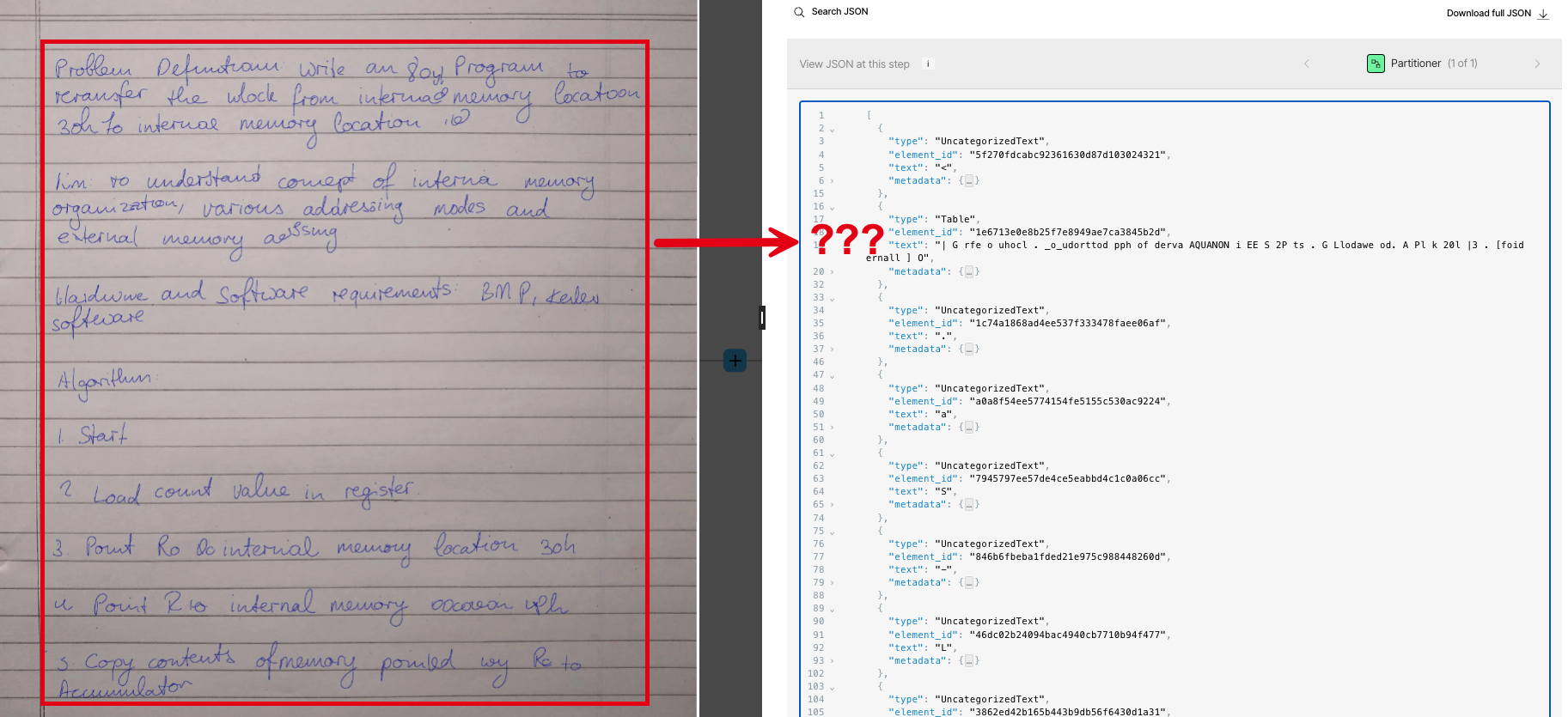
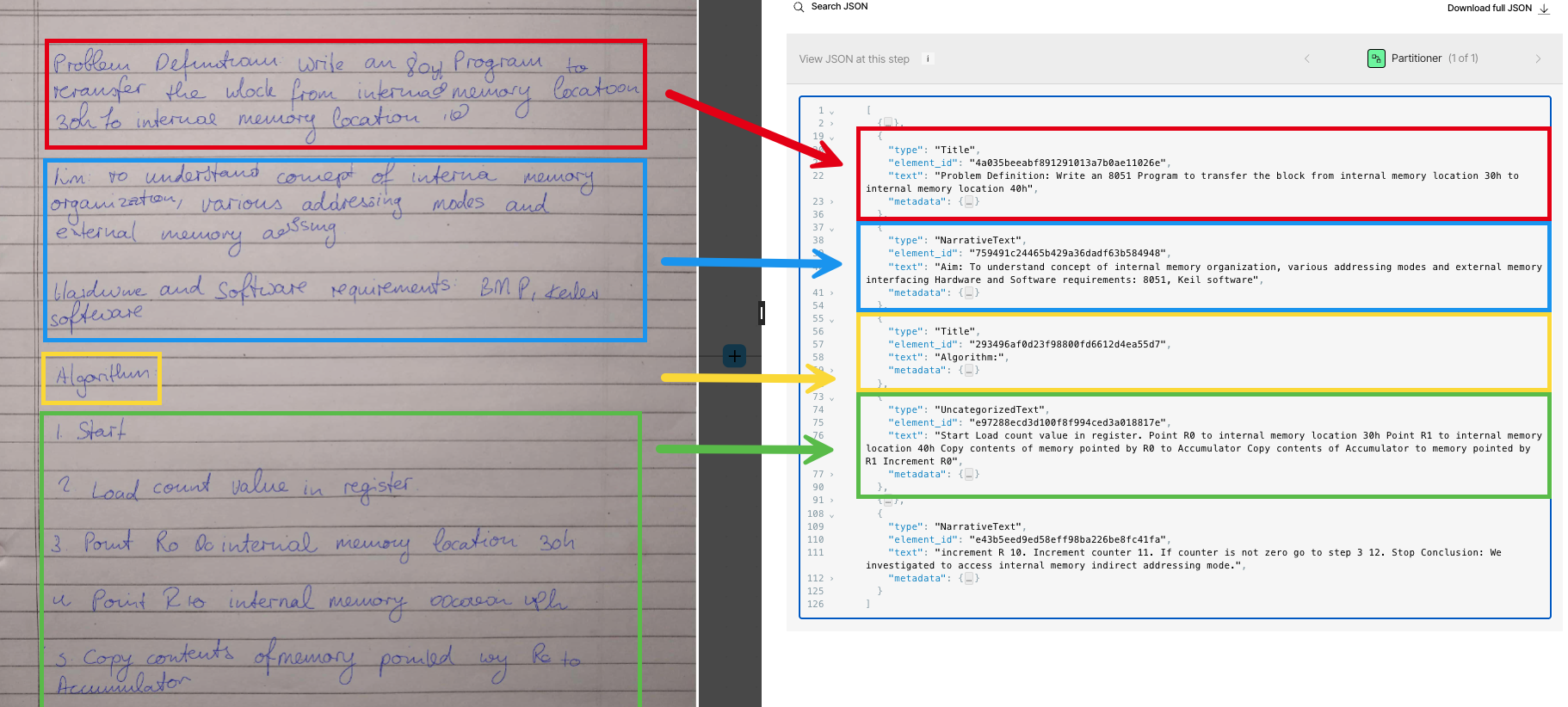
The strategies differ most visibly in how each one handles images and tables in PDF files. For example, the Fast partitioning strategy skips processing images altogether in PDF files: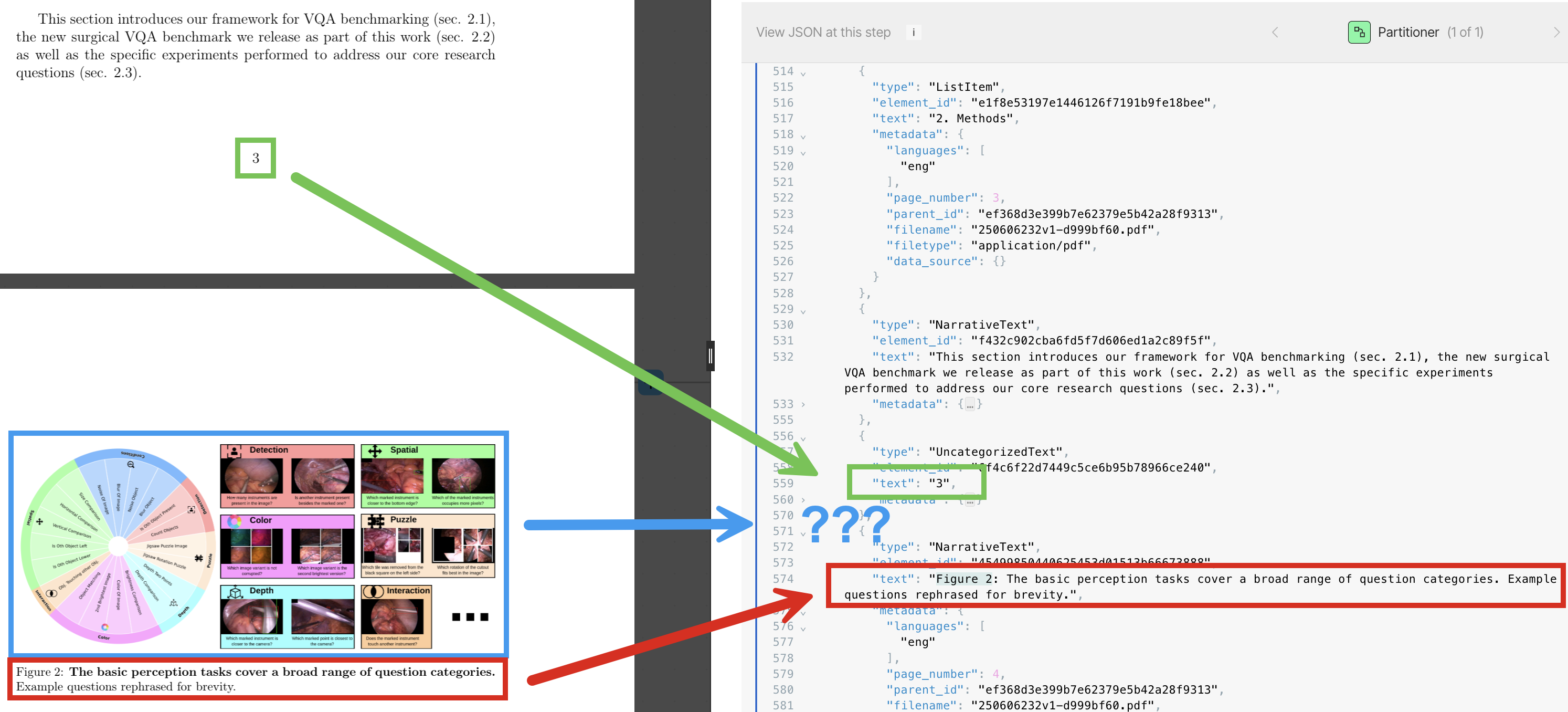
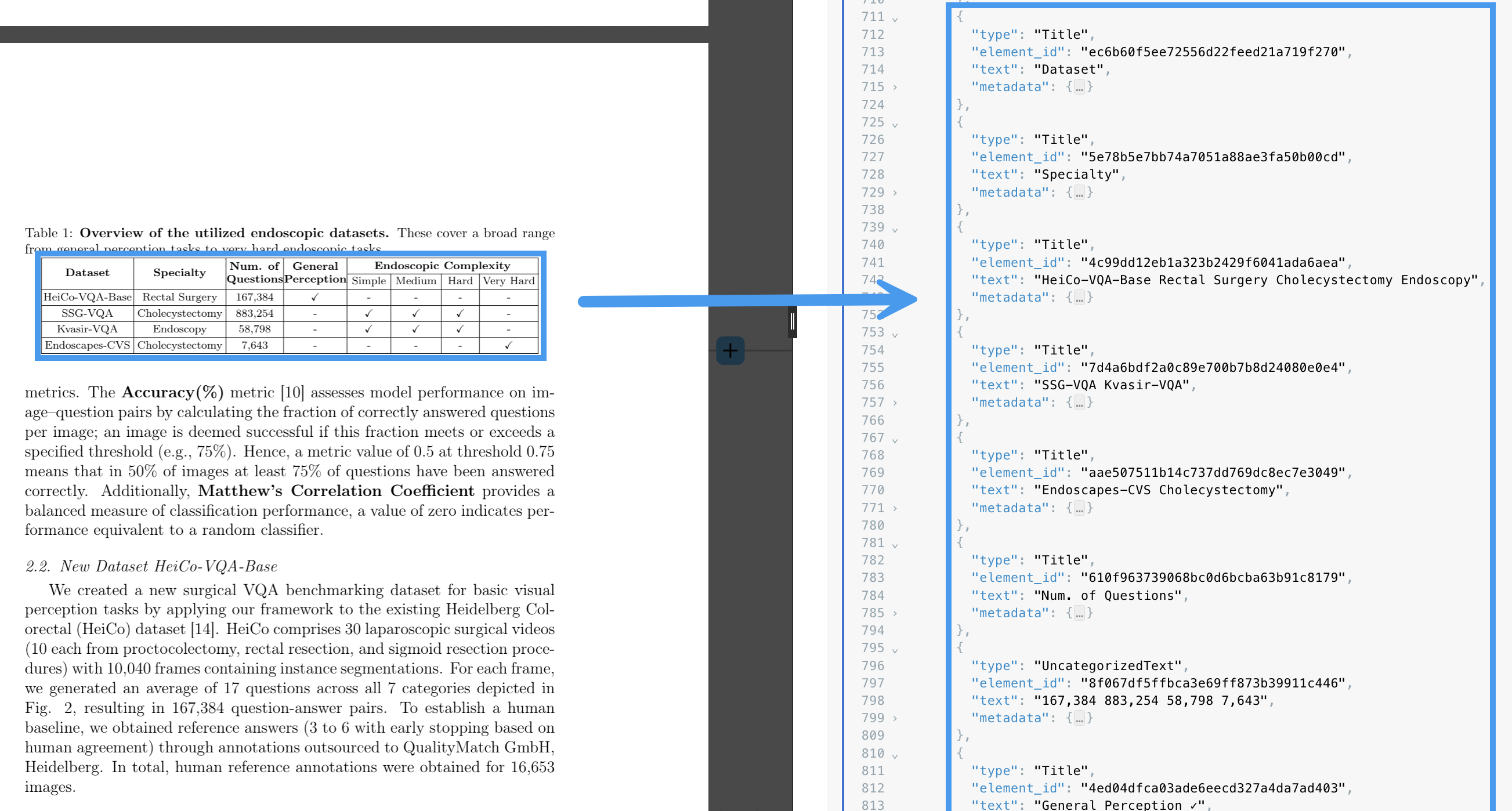

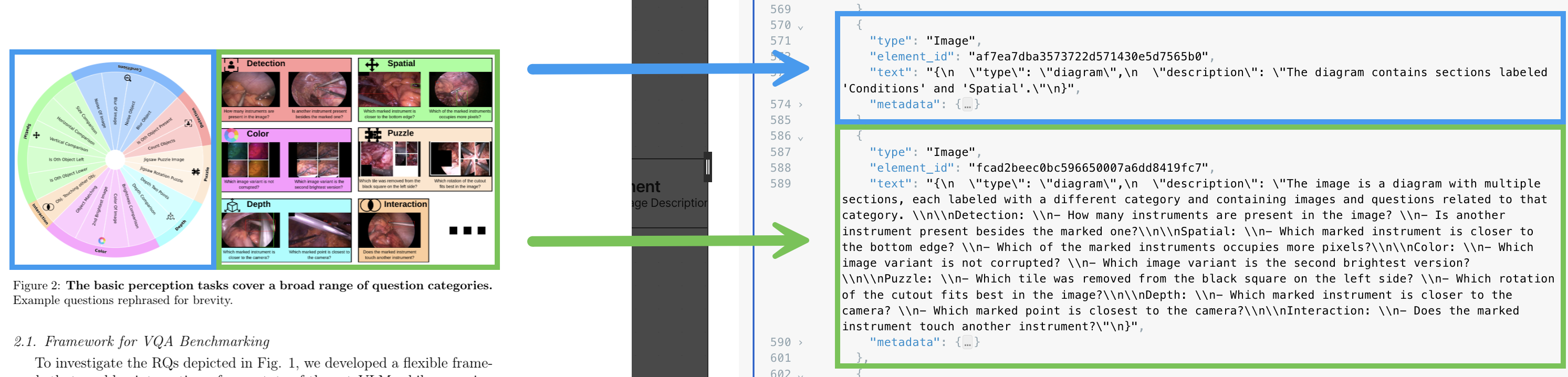
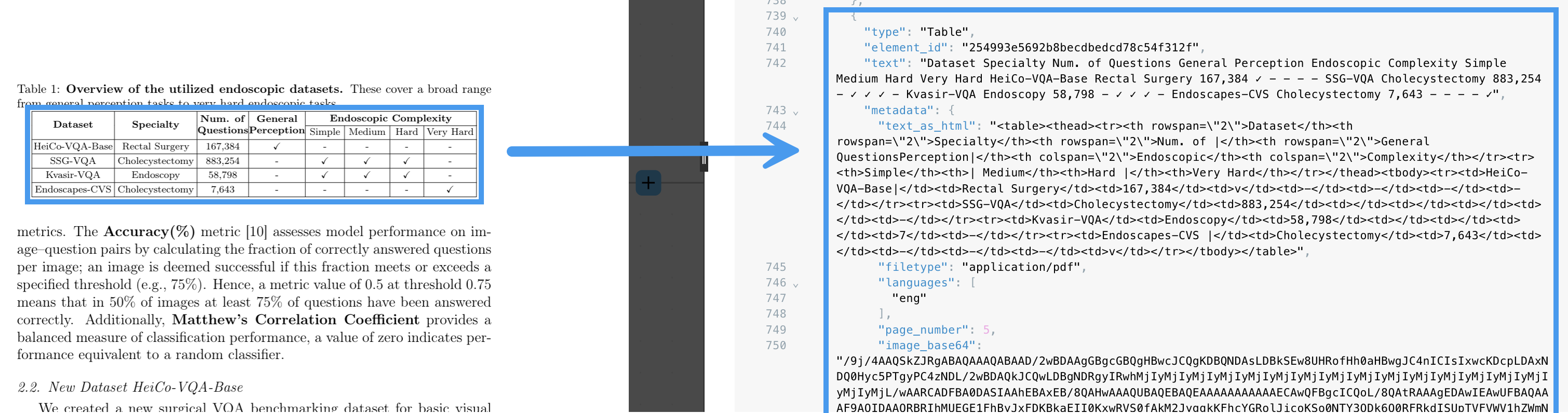
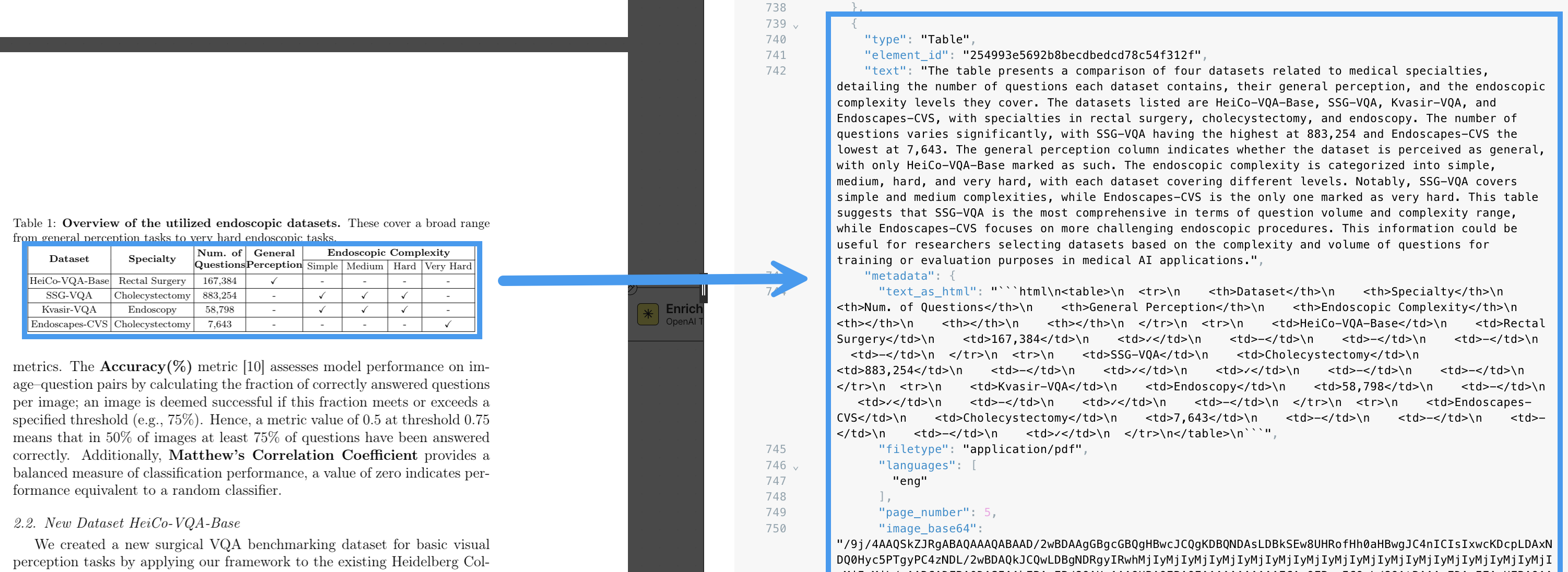
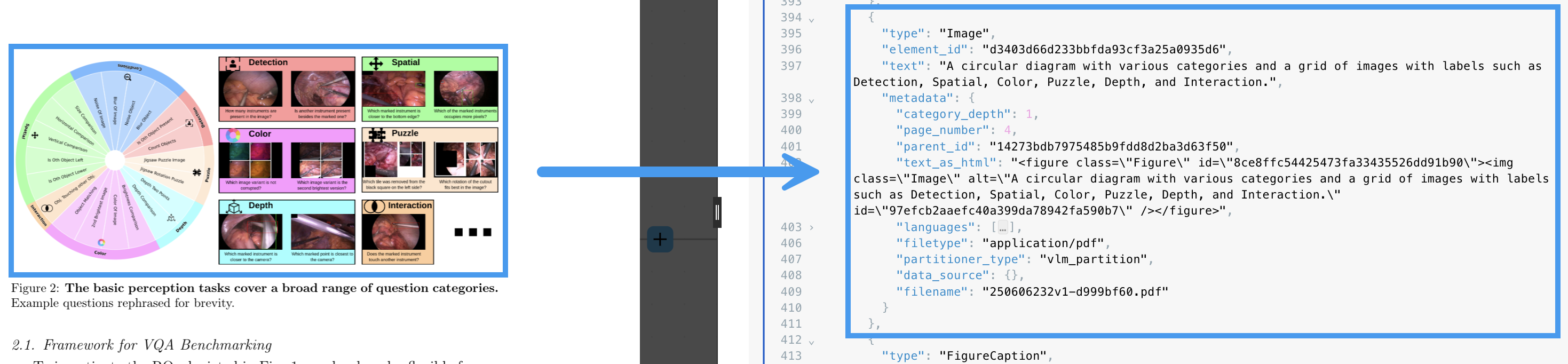
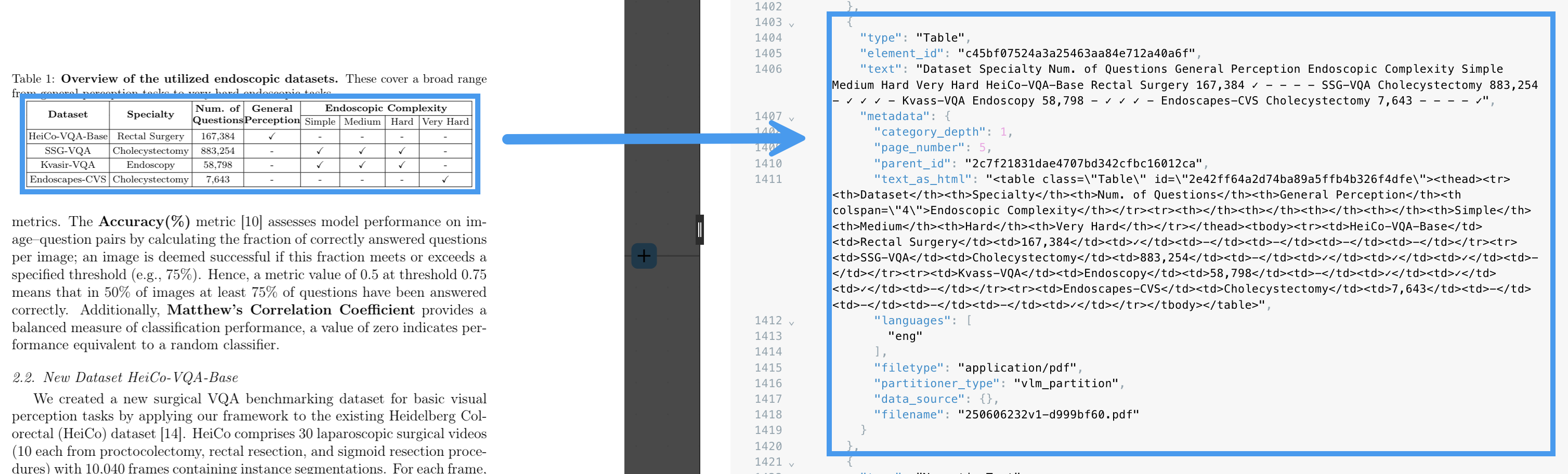
Handwriting and multilanguage characters in PDF files
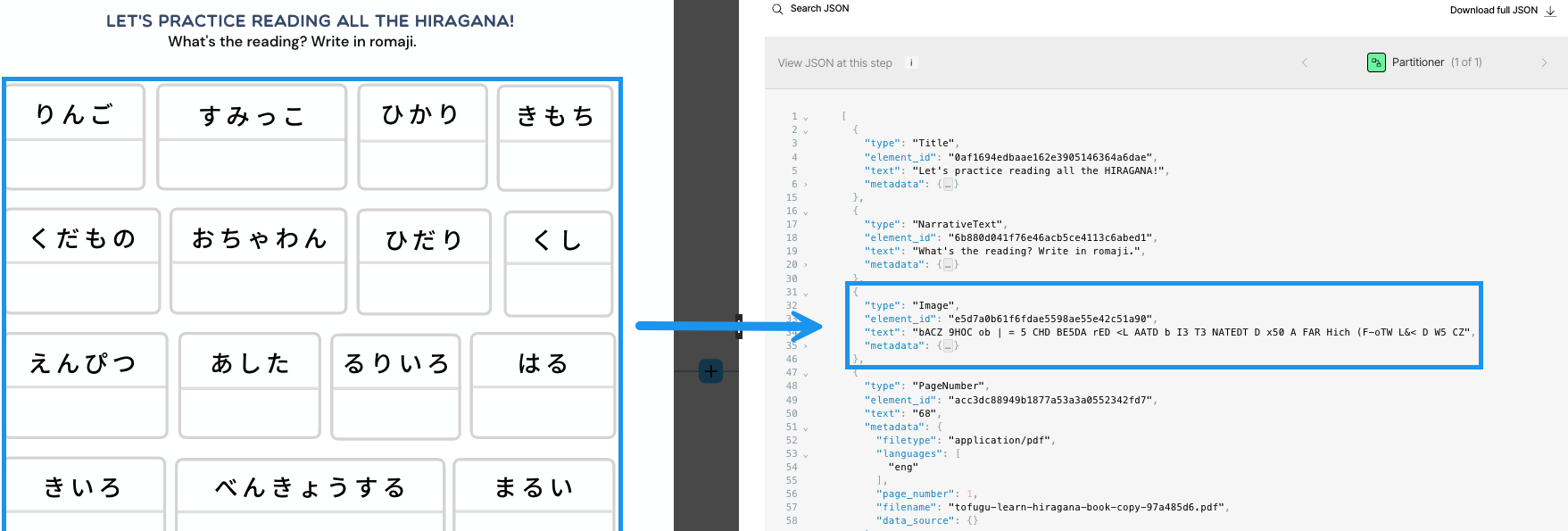
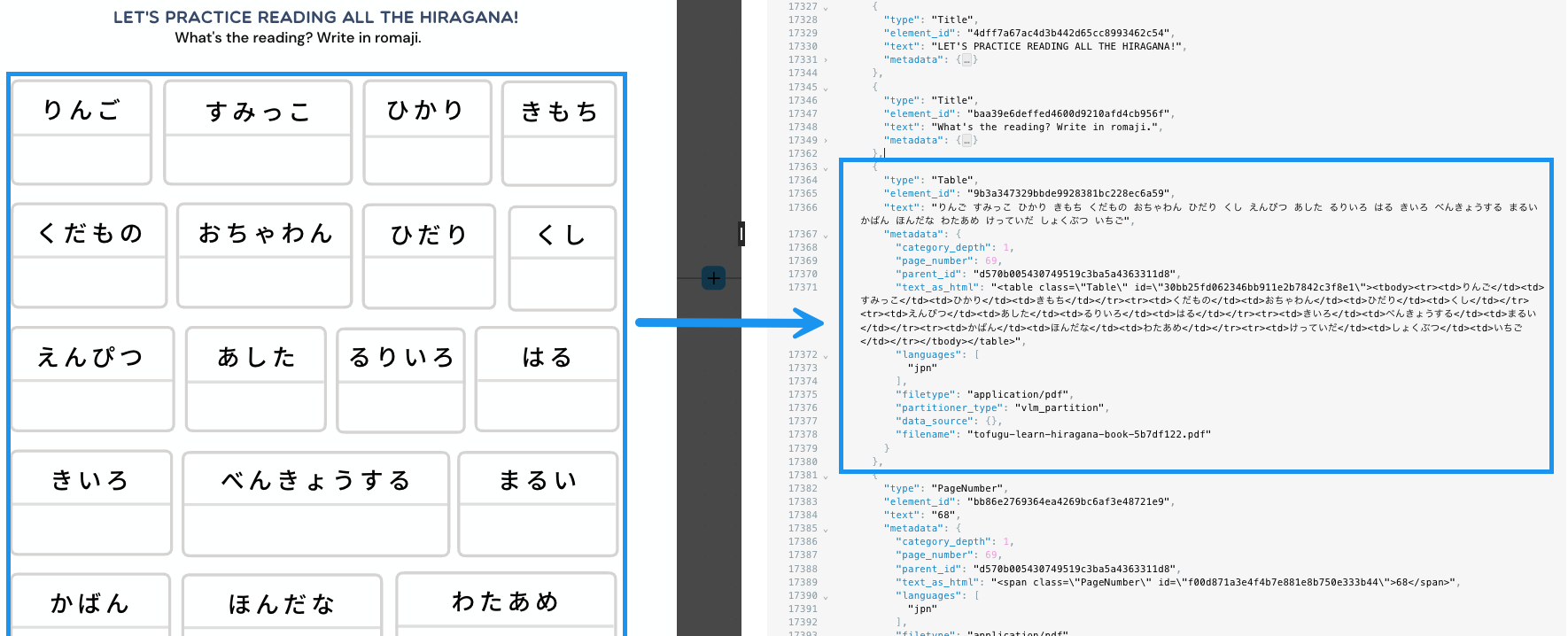
The strategies differ most visibly in how each one handles handwriting and multilanguage characters in PDF files. For example, the Fast partitioning strategy skips processing handwriting altogether in PDF files. The Fast strategy processes multilanguage characters in PDF files with limited output, depending on the language. In the following example, Japanese hiragana characters are processed as text, but the output can be very difficult to work with: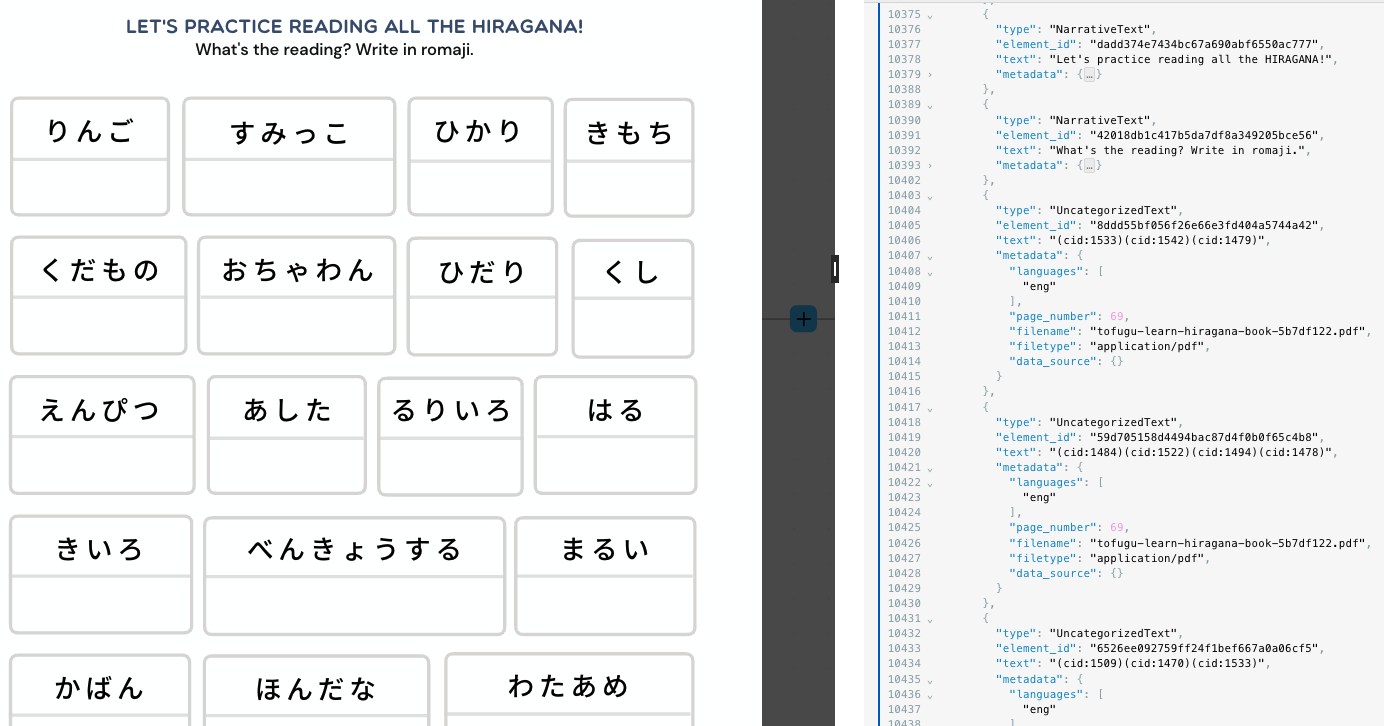
Supported languages
Fast partitioning accepts any text inputs, though automatic language detection of those inputs is restricted to langdetect. High Res partitioning leverages Tesseract OCR. For the list of languages that Tesseract supports, see: Languages/Scripts supported in different versions of Tesseract. Language support for VLM depends on the model used. For a full list of the models available in Unstructured, see Available models. The list of supported languages for a particular model is maintained by that model’s provider. For the list of languages that each model supports, see the following, where provided:Apply a partitioning strategy
To have Unstructured use a specific partitioning strategy, do the following:- For Unstructured Pipelines users, add a Partitioner node to an Unstructured custom workflow.
- For Unstructured API users, add a Partitioner node
as either as an object in a
workflow_nodesarray (for curl) or as aWorkflowNodein aWorkflowNodescollection (for Python) whenever you create a workflow, update a workflow, or create a workflow job that processes local files.